Home / Blogs / How to Change your Domain Name Without Losing SEO?
How to Change your Domain Name Without Losing SEO?
 SEO
SEO
Changing your website’s domain name can be a bold move. Expanding into new markets or simplifying a complex URL, switching domains is often necessary for long-term growth. But with this opportunity comes risk, especially in terms of SEO.
Without proper planning, you could lose hard-earned rankings, traffic, and authority. That’s why it's critical to approach a domain change with the right SEO strategies for website relocation. In this guide, we'll walk you through how to change your domain name without losing SEO, ensuring a smooth transition and a stronger foundation moving forward.
Why Change Your Website Domain Name?
Businesses change domain names for a variety of strategic reasons. Here are the most common:
Rebranding or name change
Merging with another business
Upgrading from a local TLD to a global one (.in to .com)
SEO or URL optimisation
Legal reasons (trademark conflicts, and so on)
Regardless of your reason, changing your domain is a major shift. It affects not only your URL structure but also your online reputation, backlinks, indexed pages, and more. That’s why working with an experienced SEO agency in Mumbai can help you avoid common pitfalls and handle the transition seamlessly.
The Importance of SEO
Your website’s SEO is tied to years of work, creating content, earning backlinks, and optimising for search engines. A poorly managed domain change can cause:
Drops in rankings
Loss of organic traffic
De-indexed pages
Broken backlinks and crawl errors
To avoid these issues, you need a future-proofed SEO strategy that maps every step of the migration and protects your site’s authority.
A domain change isn’t just a technical task; it’s a marketing and SEO initiative that demands careful planning, execution, and post-migration monitoring.
How to Safely Change Domain Names Without Losing SEO
Here’s a step-by-step breakdown of how to handle your domain change like a pro:
1. Back Up Your Website
Before making any changes, take a full backup of your current website, files, database, and content. This ensures you can roll back if anything goes wrong during the transition.
2. Audit and Clean Your Existing Site
Now’s the time to declutter. Ask yourself: How do you clean up your content without harming your rankings?
Use SEO tools to:
Identify low-performing or duplicate content
Update outdated pages
Consolidate similar pages
Fix broken links
Cleaning your content ensures only your most valuable assets are carried forward, helping your new domain start strong.
3. Set Up the New Domain
Before redirecting traffic, make sure your new domain is fully functional:
Install SSL (https)
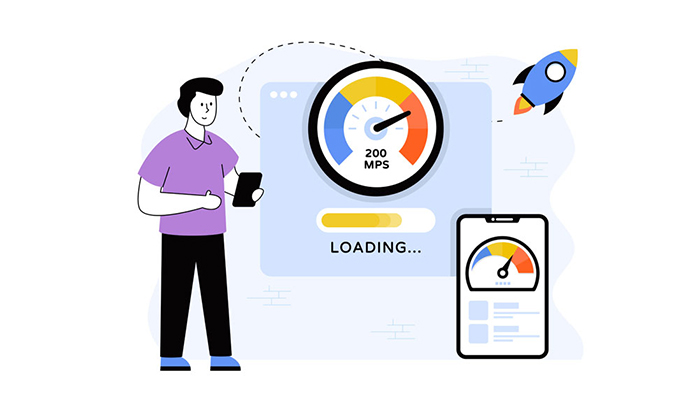
Ensure mobile responsiveness and fast loading speed
Upload all pages with the same URLs, where possible
Update internal links and canonical tags
If you're unsure about the tech setup, consult a digital marketing company in Mumbai like Verve Media that offers full-stack SEO and development expertise.
4. Implement 301 Redirects
This is the most critical SEO step. Use 301 (permanent) redirects from every page on the old domain to the corresponding page on the new domain. This tells search engines and users that the content has moved permanently and passes link equity.
Avoid redirecting all pages to the new homepage; it confuses crawlers and users.
5. Update Google Search Console and Analytics
In Google Search Console:
Verify ownership of the new domain
Use the “Change of Address” tool
Submit a new XML sitemap
Monitor crawl errors and index status
Also, update Google Analytics with the new domain and adjust tracking codes accordingly.
6. Notify Google and Bing
Aside from Search Console, you should manually request re-indexing of your new pages. Submit updated sitemaps and request faster crawling to minimise traffic loss.
Bonus Steps to Ensure Your New Domain’s Success
Changing your domain name successfully doesn't end with redirects. Here are extra steps to safeguard and enhance your SEO:
1. Notify Your Audience and Partners
Let your audience, subscribers, and backlink partners know about the domain change. Ask high-authority sites to update their links to your new domain.
2. Monitor Rankings and Traffic
Use SEO tools to monitor keyword positions, organic traffic, and bounce rates. Small fluctuations are normal, but significant drops should be addressed quickly.
3. Rebuild Backlink Equity
While 301 redirects transfer most link equity, you can regain lost ground faster by:
Reaching out to referring domains to update backlinks
Running PR campaigns to build fresh, high-quality links
Publishing shareable content to generate new backlinks naturally
4. Update All Branding and Profiles
Update your domain in:
Social media bios
Email signatures
Business directories
Google Business Profile
Paid ad campaigns
This creates a consistent brand presence and reduces user confusion.
When you work with the best digital marketing company in Mumbai, these steps are proactively managed and executed as part of a broader transition strategy.
Final Thoughts
Changing your domain name can feel like a daunting process, but it doesn’t have to be a disaster for your SEO. With the right plan, tools, and guidance, you can make the switch smoothly, maintain your rankings, and set your brand up for long-term success.
At Verve Media, a leading SEO agency in Mumbai, we specialise in future-proofed SEO strategies that protect your visibility and strengthen your online foundation during transitions. Whether you're rebranding, expanding, or upgrading, our SEO experts ensure you don’t just preserve your traffic; you grow it.

.jpg)
.jpg)




































































.jpg)




.png)

.png)


